
AI agents
Enterprise AI agents: what separates them from demo agents
A demo agent proves the model can do the task. An enterprise agent proves it will only do the task it was given, for the person who asked.
 Umair MajeedCo-founder and CEO, Datics AI8 min read
In brief
Enterprise AI agents act inside real business software under the same rules as the people who use it: each call carries a named user's identity and permissions, the agent takes only a fixed list of actions, risky steps wait for a person, and every step is logged. What makes an agent enterprise is not the model but the engineering that keeps it in bounds. If an agent cannot say who it acted for and why, it is still a demo.
On this page
- 01Where demo agents and enterprise AI agents part ways
- 02Identity, permissions and a fixed set of actions
- 03Approvals, audit trails and evaluation on real cases
- 04Tenant isolation, cost control and failure handling
- 05How to pick the first enterprise agent, and what to ask vendors
- 06What we see in production
- Frequently asked questions
01Where demo agents and enterprise AI agents part ways
Most agent demos look alike: a capable model, a handful of tools, one admin account and a happy-path script. That works until two customers, three roles and a bad input meet the same agent on a Tuesday afternoon.
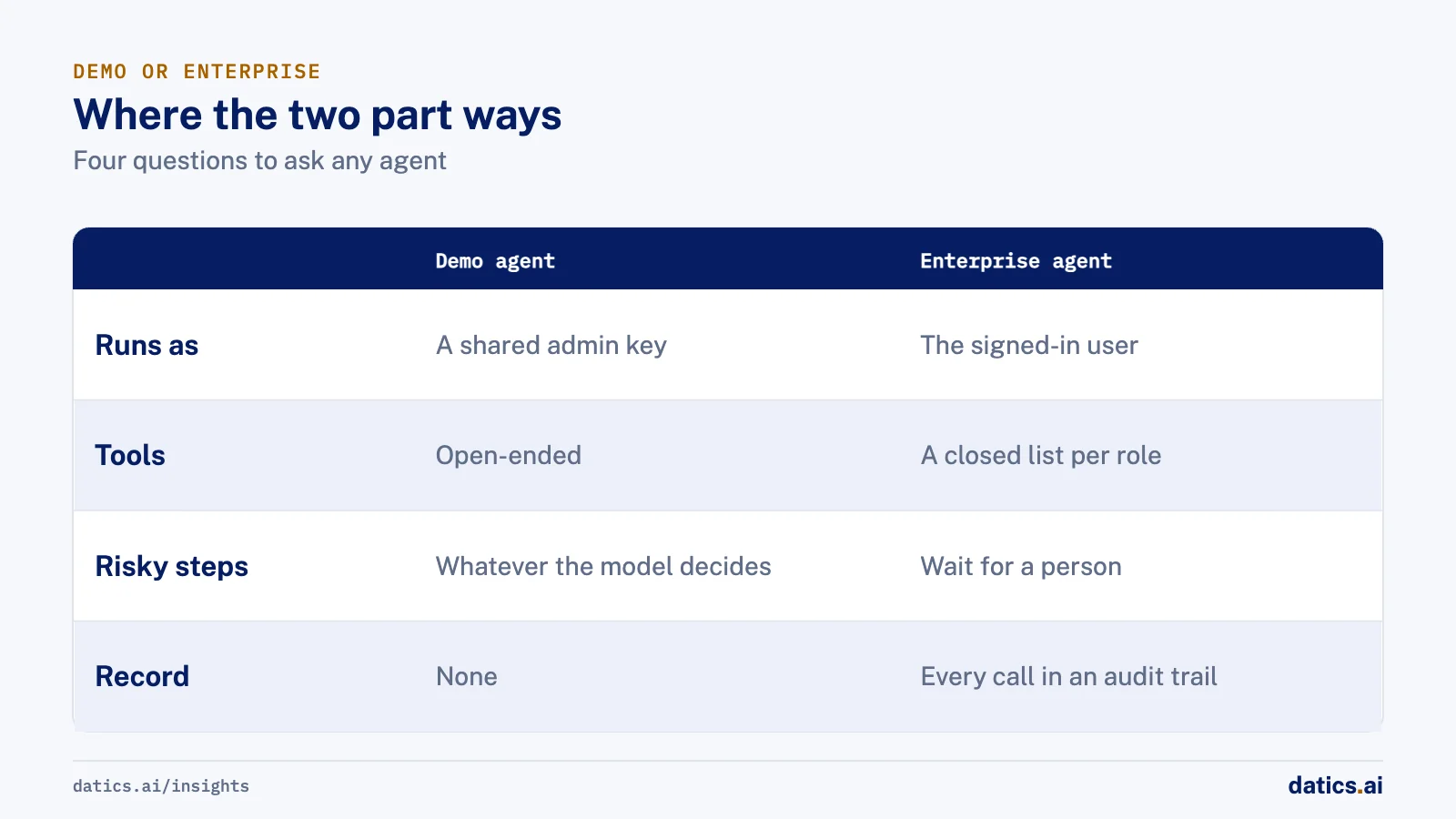
| Concern | Demo or consumer agent | Enterprise agent |
|---|---|---|
| Identity | One shared key or admin account | Each call runs as the signed-in user |
| Actions | Open-ended tools, often generic HTTP or SQL | A fixed list of narrow tools per role |
| Risky steps | Runs whatever the model decides | Waits for a named person to approve |
| Record | Chat transcript, if anything | Audit trail of every tool call and decision |
| Quality | Tried on a few prompts | Scored on real cases before and after release |
| Customers | One dataset | Each tenant's data walled off from every other |
| Cost | Uncapped | Budgets, quotas and timeouts per user and tenant |
| Failure | Error message or silence | Defined fallback, retry rules and human handoff |
Every row on the right is ordinary software engineering. No platform gives it to you for free, and the model choice matters far less than most buying conversations suggest.
02Identity, permissions and a fixed set of actions
The first enterprise requirement is that the agent never has more power than the person it is helping. The OWASP Top 10 for LLM applications names this risk Excessive Agency and traces it to three roots: too much functionality, too many permissions and too much autonomy. Its mitigations read like an enterprise checklist: offer only the tools the task needs, avoid open-ended tools such as shell access or arbitrary URL fetching, run tools in the user's own context with narrow scopes, and enforce authorization in downstream systems instead of asking the model whether an action is allowed.
In practice we build this in three moves:
- The user's session travels with every tool call. The agent calls your existing APIs under the signed-in user's login or a token derived from it, and your backend applies the same checks it applies to the web app. A shared service account makes the agent stronger than its user and turns the audit log into "the bot did it."
- Tools are a closed list, set per role. A field technician's session should not even contain a manager's tools. If the tool is not in the session, no prompt can talk the agent into using it.
- The backend decides, not the prompt. Instructions can explain the rules. Only code can enforce them.
Tool design deserves real attention. Anthropic's engineering guidance on building agents argues that teams should invest as much effort in the interface between agent and tools as they do in screens for people, with clear descriptions, examples, edge cases and firm boundaries between similar tools. We cover the permission layer in more depth in where agent permissions should be enforced.
03Approvals, audit trails and evaluation on real cases
The second requirement is that consequential actions are visible, reversible where possible, and checked by a person when the stakes are high. Sending money, emailing a customer, changing a contract value or publishing anything public should stop at an approval step that names who approved it. Reading data and drafting suggestions usually should not, or people will start clicking "approve" without reading.
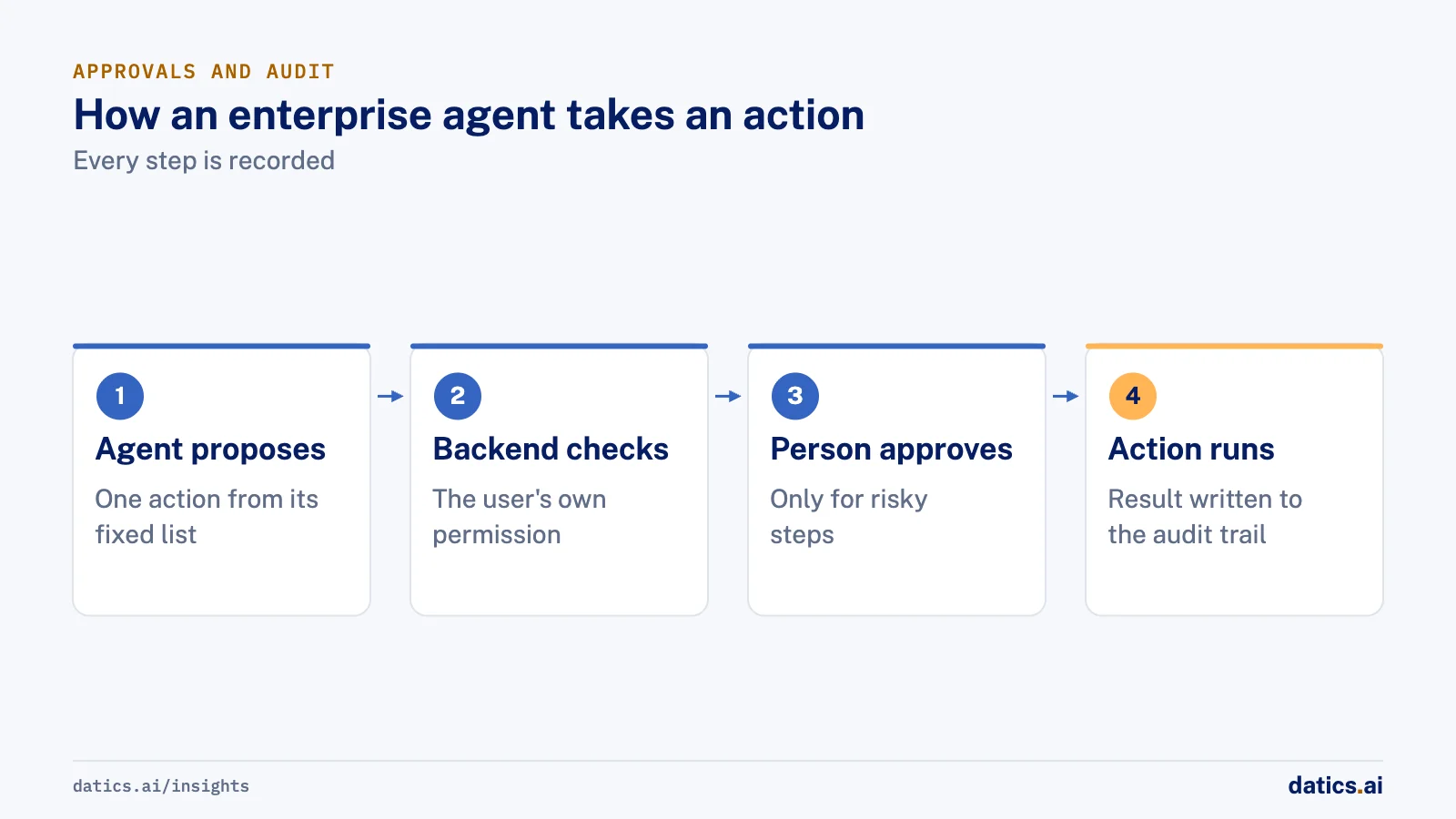
OpenAI's safety guidance for building agents makes several of the same points from the platform side: keep untrusted input out of the instructions that take precedence, use structured outputs with fixed schemas and enums between steps, add a human approval step for tool operations, and grade traces so you can see which tool call or decision went wrong. It also says plainly that agents will still make mistakes or be tricked, so access should be limited to match.
An audit trail is what lets you answer a customer, an auditor or your own support team after the fact. For each run, record the user, the tenant, the input, each tool call with its arguments and result, the approval and who gave it, and the final output. Our article on building an AI audit trail lists the fields we keep.
Evaluation is the piece most teams skip. Before launch, collect real cases from your product: real tickets, real documents, real requests, including the awkward ones. Score the agent on them, then keep those cases as a regression set that runs on every change to a prompt, tool or model. Anthropic recommends extensive testing in sandboxed environments with guardrails in place, and that is the right default. For how we structure those tests, see testing AI agents before and after release.
04Tenant isolation, cost control and failure handling
If you sell software to many customers, the agent inherits a promise you already made: one customer never sees another customer's data. That promise has to hold in retrieval indexes, caches, conversation memory, logs and evaluation sets, not just in the main database. Check the tenant on every request in code, keep tenant identifiers on every stored vector and memory record, and test cross-tenant leakage on purpose. Our guide to tenant isolation for AI features covers the patterns.
Cost is the quieter risk. The OWASP list includes Unbounded Consumption, which covers users or attackers running excessive inferences, including "denial of wallet" attacks that exploit pay-per-use pricing. Its mitigations are rate limits and quotas, timeouts and throttling for heavy operations, input size checks, and monitoring of resource use. For an agent, we add a step limit per run, a token budget per user and per tenant, and summaries of long conversations so cost does not grow with every message.
Failure handling should be designed, not discovered. Decide in advance what happens when a tool times out, when the model returns an invalid structure, when the agent is unsure, and when an upstream system is down. Good answers include a bounded retry, a clear message to the user, and a handoff to a person with the full context attached. Silent failure is the worst outcome.
05How to pick the first enterprise agent, and what to ask vendors
Pick a first agent that is narrow, frequent and easy to check. Anthropic's guidance is to start with the simplest approach that works and add autonomy only when it clearly improves results, because agents trade cost and latency for capability and errors can compound. We use four filters:
- [ ] Does every tool call run under the end user's identity, and can we see that in the logs?
- [ ] Can we limit the tool list per role and per channel?
- [ ] Which actions can require approval, and who can approve them?
- [ ] What does the audit record contain, where is it stored, and for how long?
- [ ] How is tenant data separated in retrieval, memory, logs and caches?
- [ ] Can we run our own evaluation set on every change, including model upgrades?
- [ ] What budgets, rate limits and timeouts can we set per user and per tenant?
- [ ] What happens on failure, and how does a person take over?
- [ ] Can we move the agent to our own cloud account and switch models later?
- 01
A task people already do by hand many times a week,
so the value is obvious and the test cases exist.
- 02
An outcome a person can verify in seconds,
such as a drafted reply, a filled form or a ranked list.
- 03
Actions your APIs already support with permissions,
so the agent reuses rules that are proven.
- 04
A safe failure mode,
where a wrong answer costs a correction, not a refund or a breach.
Before you sign with an agent vendor or platform, ask:
For a broader governance frame, NIST's Generative AI Profile of the AI Risk Management Framework is a voluntary companion to the AI RMF that helps organizations build trustworthiness into the design, use and evaluation of generative AI systems. Where a rule or regulation applies to your industry, confirm the specifics with your own counsel.
06What we see in production
On CleanHaus, a property management and turnover operations platform, the AI assistant has no permissions of its own. It acts through the existing backend APIs under each user's own login. Cleaners act only on their own jobs, and each role's tools are fixed per channel, so a cleaner's session has no owner tools. Contractor bids wait for the owner's approval in an agent inbox unless the owner sets that job to automatic. Testing runs in three tiers, from unit tests with a scripted fake model on every push to routing evals and model-graded evals, and every agent run is traced.
On a regulated private investment marketplace, the agents read only the documents uploaded for a deal, suggest values field by field and never publish or approve a deal. They reach the product only through APIs, never the database directly. Every suggestion waits for the issuer to apply, edit or reject it, the AI version is stored beside the human version for comparison, and a person confirms at a gate before anything is published.
For FLZR, a Berlin company that runs point of sale sales services, we built a multi-tenant AI sales assistant platform where each organization runs its own chatbots, knowledge and sales agents. Access control came in the first sprint, before any chatbot feature: every request is checked against the user's organization and role. Questions the attached knowledge cannot answer go to a human sales agent in a shared inbox, and shoppers outside agent hours see the organization's own message instead.
Our guide to adding AI agents to an existing SaaS product covers how these choices fit together in a live product. Our AI agent development work starts with a two-week Planning Sprint for $5,000, and the fee counts toward the build, or with a three-week Build Sprint for $10,000 when the outcome is already defined.
Frequently asked questions
What is the difference between an enterprise AI agent and a chatbot?
A chatbot mostly answers questions. An enterprise agent takes actions in business systems, such as creating records, drafting outreach or filling forms, so it needs identity, permissions, approvals and an audit trail that a question-answering bot can often skip.
Do we need a dedicated agent platform to build enterprise AI agents?
No. The controls that matter, such as user identity on every call, a fixed tool list, approvals and logging, live in your own backend and APIs. A platform can save time on orchestration and tracing, but check that it lets you enforce those controls in your systems rather than in its prompts.
How long does it take to put a first enterprise agent into production?
It depends mostly on how ready your APIs and permissions are, not on the model. When the actions already exist behind permissioned APIs and the task is narrow, a first agent can reach real users in weeks. When the agent needs new endpoints, new roles or a new data store, plan for that work first.
How Datics helps
Datics specializes in Brownfield AI: production AI inside software people already rely on. A Build Sprint puts one outcome working in your product's staging in three weeks, for $10,000, and the fee counts toward production. Not sure what to build first? The Planning Sprint ranks it in two weeks, for $5,000.
›References (5)
Related work
Case studies from our projects on the same subject.
CleanHaus
Property Management · Turnover operations SaaS
Hosts and cleaners manage rental turnovers in chat, within each person's permissions
Owners, managers and cleaners all talk in one property chat. Now an AI there acts for each of them, only within that person's role.
Regulated investment platform
Fintech · Private investment marketplace
Pitch decks become drafted deals, and issuers approve each field before publishing
Issuers retyped decks and financials into long deal forms. Now AI suggests each field, and the issuer applies, edits or rejects it.
FLZR
Other software · Multi-tenant chatbot platform
Sales agents pick up every chat the AI assistant cannot answer
Shoppers still need a person when the bot cannot help; now each chat moves to a sales agent within the hours the organization sets.
More on AI agents
AI agents
AI agents for business: put them to work inside your SaaS
AI agents for business work best inside the SaaS product you already run: your APIs as tools, your permissions as the boundary, human approval on writes.
Umair MajeedReadAI agents
How much autonomy should AI agent guardrails allow?
AI agent guardrails that work: agents read and draft freely, but need consent and an editable confirmation before moving money, changing records or messaging.
Umair MajeedReadAI agents
Where should AI agent security enforce permissions?
AI agent security in a multi-role SaaS product rests on one rule: the agent gets the user's permissions and nothing more, enforced in code, never in the prompt.
 Rana Umar MajeedRead
AI agents
Agent harness: run AI agents reliably in a SaaS app
An agent harness is the software around the model: tools, permissions, small steps, retries and human approval, so AI agents run safely inside a SaaS product.
Rana Umar MajeedReadAI agents
Which AI agent architecture fits a high-stakes workflow?
For a high-stakes workflow, the stronger AI agent architecture is a supervisor routing to narrow sub-agents, each with a contract and a human decision point.
Rana Umar MajeedReadAI agents
How do you design tools for LLM tool calling?
LLM tool calling works in an existing product when each tool maps to a real, approved endpoint with a clear name, description and schema. Here is how.
Rana Umar MajeedReadYour customers already expect AI from your product.
Let us make it real inside the product you run today.