
AI agents
How do you design tools for LLM tool calling?
An agent can only be as safe as the list of things it is allowed to do.
 Rana Umar MajeedCo-founder and CTO, Datics AI6 min read
Short answer
Good LLM tool calling starts with a controlled tool registry. Each tool gets a clear name, a description written for the model, an HTTP method and path, and a strict parameter schema, all mapped to an existing, approved endpoint in your product. Expose only the endpoints the use case needs, filter tools by the user's role, return readable results, and leave undocumented APIs out until they are documented. The agent can then act only where a real endpoint exists.
On this page
01Start with the registry, not the prompt
When teams first connect an LLM to an existing product, they tend to start with the prompt and add tools as needs appear. We start the other way. Before any prompt is written, we agree with the client on a tool registry: a single, reviewed list of every action the agent may take.
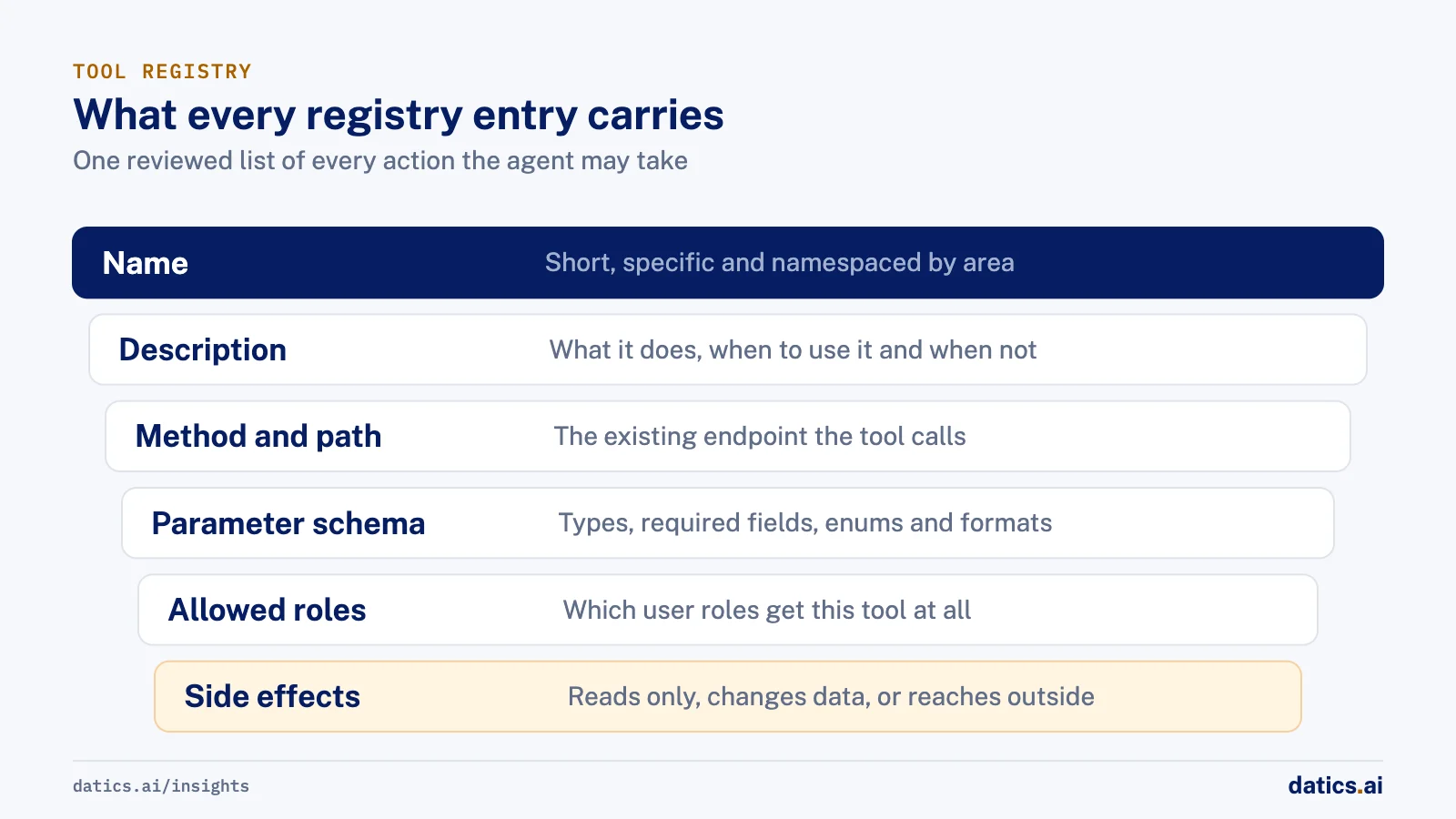
Each entry in the registry carries the same fields:
- Name. Short, specific and namespaced by area, for example jobs_list_mine or bookings_create, so both the model and your engineers can tell tools apart.
- Description. What the tool does, when to use it and when not to, written as you would brief a new teammate.
- Method and path. The existing endpoint the tool calls. The tool is a thin, typed layer over an API your product already runs.
- Parameter schema. Types, required fields, enums for fixed choices and formats for dates and IDs.
- Allowed roles. Which user roles get this tool at all.
- Side effects. Whether the tool only reads, changes data inside your product, or reaches outside it, such as sending email.
The registry becomes the contract between product, engineering and security. It is reviewed like an API change, versioned, and tested. Anything not in it does not exist for the agent.
02Map tools to real endpoints, and leave the rest out
The fastest way to get an unreliable agent is to let it work around your API: direct database access, scraped internal admin screens, or endpoints nobody has documented. Each of those bypasses the validation and authorization your product already enforces.
Our rule is that an agent acts only through documented, approved endpoints, under the user's own identity. If an action the client wants has no endpoint, the right answer is to add or document one, with the usual review, not to give the agent a back door. Undocumented APIs stay out of scope until the client provides them. That sounds slow. In practice it saves weeks, because every tool inherits behavior that is already tested.
It also keeps the brownfield promise: the AI works inside the product you already run, through the same doors your web and mobile apps use. For more on that approach, see how to add AI agents to an existing SaaS product without rebuilding it.
03Design each tool for LLM tool calling
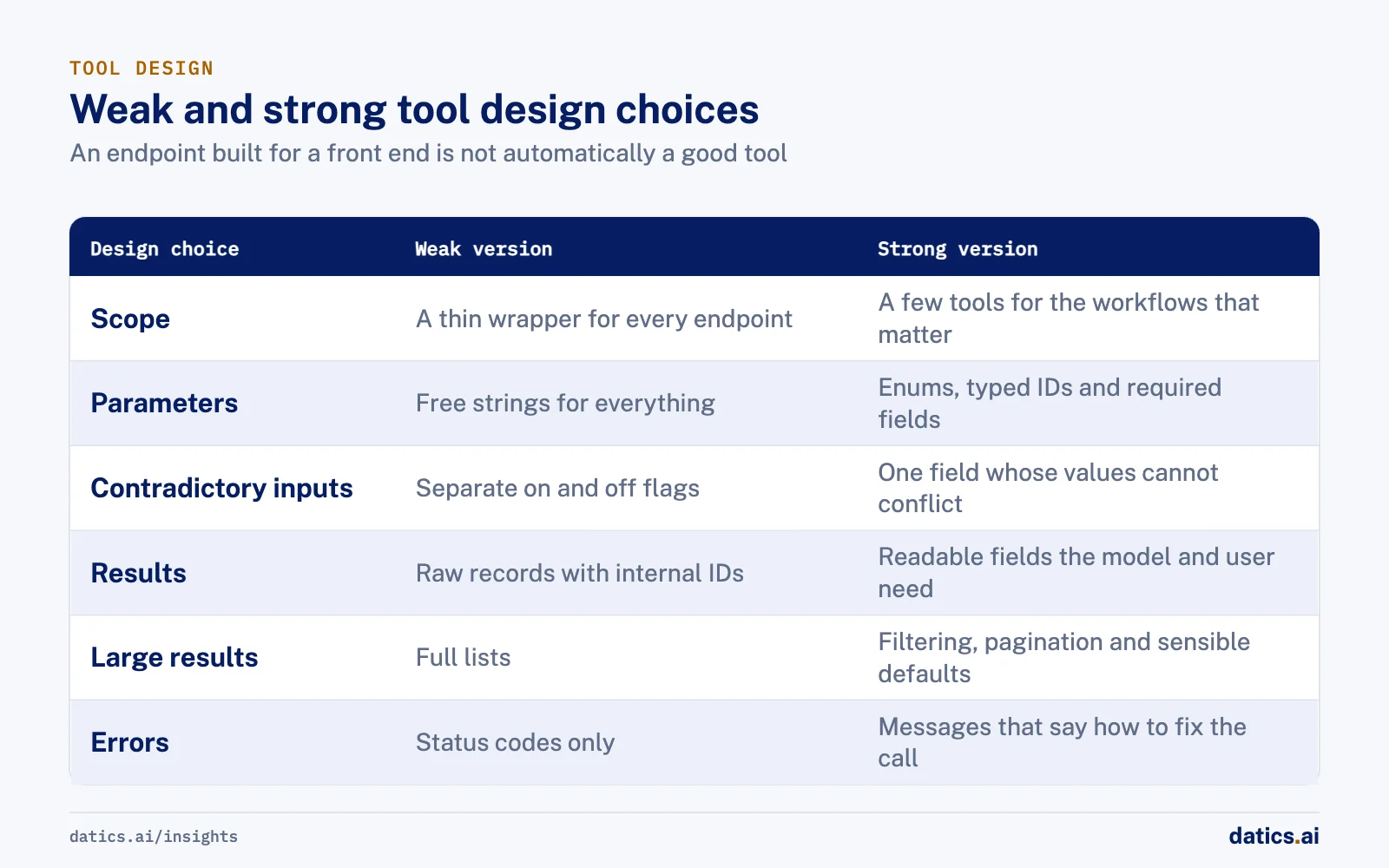
An endpoint designed for a front end is not automatically a good tool. Vendor guidance and our own experience agree on a few points.
- 01
Resolve identity in code.
Tools such as "my jobs" should take the user from the session, not from a parameter the model fills in. The model should never be able to ask for another user's records by changing an ID.
- 02
Keep internals out of replies.
Tool names, internal IDs and raw field names should not appear in what the user reads. Filter them before display.
| Design choice | Weak version | Strong version |
|---|---|---|
| Scope | A thin wrapper for every endpoint | A few tools for the workflows that matter |
| Parameters | Free strings for everything | Enums, typed IDs and required fields |
| Contradictory inputs | Separate on and off flags | One field whose values cannot conflict |
| Results | Raw records with internal IDs | Readable fields the model and user need |
| Large results | Full lists | Filtering, pagination and sensible defaults |
| Errors | Status codes only | Messages that say how to fix the call |
OpenAI's function calling guide recommends keeping the number of functions available at the start of a turn low, describing purpose and parameters clearly, and using enums and structured objects so invalid states cannot be expressed. Anthropic's engineering guidance on tools for agents adds that a few well-scoped tools beat a wrapper for every endpoint, that tools should be namespaced, that results should carry meaningful context rather than low-level identifiers, and that error messages should help the agent correct itself.
Two more habits matter in multi-role products:
04Split by domain as the registry grows
One agent with forty tools makes more routing mistakes than several agents with a handful each. As the registry grows, group tools by domain, such as bookings, jobs, inventory or user management, and put a supervisor in front that routes each request to the right domain agent. Each domain agent sees only its own tools, which shortens its instructions and makes its behavior easier to test.
Then filter again by role and channel. A field worker's session and a manager's session should be built from different subsets of the registry, decided in code at session start.
05Test tools like an API, then like a product
Tools need two kinds of tests:
- Deterministic tests on every push: the schema validates, the tool calls the right endpoint, role filtering removes the right tools, and guards block forbidden actions.
- Behavioral evaluations on realistic multi-step tasks: does the agent choose the right tool, fill parameters correctly, avoid loops and duplicate replies, and refuse actions with no tool?
Trace every tool call in production. When a user reports a problem, you want to see which tool was called, with what parameters, under which identity, and what came back. That turns agent bugs from guesswork into ordinary debugging.
06What we see in production
For a short-term rental cleaning and turnover operations platform, we extended an AI assistant that was already running inside the client's live product. The scope began with a tightly controlled tool registry mapped to the client's existing backend APIs: profiles, schedules, jobs, tasks, notes, invites, inventory, marketplace and payments. The assistant calls them under the user's existing identity, and undocumented APIs stayed out of scope unless the client provided them. The model can only act through real endpoints.
As the assistant grew, we moved from one agent to a supervisor that routes to domain agents for property, cleaning, booking, inventory, user management and onboarding, and later to a design where each channel and role gets its own compiled graph and tool allowlist. Cleaners can act only on their own jobs. Guards stop tool names, IDs and internal fields from appearing in replies and block edit, delete and post actions where no tool exists. Contractor bid emails are drafted for the owner and go out only after approval, unless the owner switches that job to automatic.
Testing runs in tiers: unit tests on every push, routing evaluations, and model-judged quality evaluations, with agent behavior traced in LangSmith and CloudWatch. A log-verified QA review confirmed 6 of 7 reported bugs, with root causes traced to exact tool calls, which fed the fixes that followed. The client reported in September 2026 that its app and AI agent were live.
Frequently asked questions
How many tools should an AI agent have?
As few as the use case needs. OpenAI recommends keeping the number of functions available at the start of a turn low, and Anthropic adds that a few well-scoped tools beat a wrapper for every endpoint. As the registry grows, split tools by domain and put a supervisor in front that routes each request to the right domain agent.
Can an agent call APIs that are not documented?
Not in our approach. An agent acts only through documented, approved endpoints, under the user's own identity. If an action has no endpoint, the right answer is to add or document one with the usual review, not to give the agent a back door. Every tool then inherits behavior that is already tested.
How do you stop an agent from reading another user's records?
Resolve identity in code. Tools such as my jobs should take the user from the session, not from a parameter the model fills in, so the model can never ask for another user's records by changing an ID. Filter the available tools by role and channel at session start as well.
How should tools for an agent be tested?
Like an API first, then like a product. Deterministic tests on every push check that the schema validates, the right endpoint is called, role filtering works and guards block forbidden actions. Behavioral evaluations on realistic multi-step tasks check tool choice and parameters. Trace every tool call in production too.
How Datics helps
Datics specializes in brownfield AI: bringing production AI into the product you already operate, without forcing a rebuild.
Related work
Case studies from our projects on the same subject.
CleanHaus
Real Estate & Hospitality · Turnover operations SaaS
Hosts and cleaners manage rental turnovers in chat, within each person's permissions
Owners, managers and cleaners all talk in one property chat. Now an AI there acts for each of them, only within that person's role.
Regulated investment platform
Financial Services · Private investment marketplace
Pitch decks become drafted deals, and issuers approve each field before publishing
Issuers retyped decks and financials into long deal forms. Now AI suggests each field, and the issuer applies, edits or rejects it.
Transcripts U.S.
Government, Legal & Defense · Legal transcript marketplace
Court reporting agencies publish transcript metadata without the file ever leaving their browser
Agencies once uploaded full transcripts to the marketplace; now title page details are read in their own browser, and they confirm what is published.
More on AI agents
AI agents
AI agents for business: add them to SaaS without a rebuild
AI agents for business work best inside the SaaS product you already run: your APIs as tools, your permissions as the boundary, human approval on writes.
 Umair MajeedRead
AI agents
Why AI agents fail in production: it is not the model
Most AI agents fail in production because of the system around the model: retries, stale state, authority and audit. Here is the engineering that fixes it.
Rana Umar MajeedReadAI agents
Where should human in the loop AI review happen?
Human in the loop AI works when review happens field by field, before anything ships. Learn where to place checkpoints and how to measure accuracy.
Rana Umar MajeedReadAI agents
How much autonomy should AI agent guardrails allow?
AI agent guardrails that work: agents read and draft freely, but need consent and an editable confirmation before moving money, changing records or messaging.
Umair MajeedReadAI agents
Where should AI agent security enforce permissions?
AI agent security in a multi-role SaaS product rests on one rule: the agent gets the user's permissions and nothing more, enforced in code, never in the prompt.
Rana Umar MajeedReadAI agents
How do you manage AI agent memory in production?
AI agent memory in production is an infrastructure problem: durable checkpoints per thread, a pooled connection with reconnects, chat summaries and reset rules.
Rana Umar MajeedReadYour customers already expect AI from your product.
Let us make it real without rebuilding what already works.