
Brownfield AI
How does data quality monitoring catch bad AI inputs?
A missing snapshot does not look like missing data. It looks like a confident, wrong answer.
 Rana Umar MajeedCo-founder and CTO, Datics AI6 min read
Short answer
Data quality monitoring detects bad input data by tracking completeness per source and per run, not only by watching the outputs. Record what each scheduled load was expected to deliver and what it actually delivered, and when coverage drops, block or flag every statistic, dashboard and AI answer built on that run. Good data quality monitoring stops a confident wrong answer before a user sees it.
On this page
01Why bad inputs produce confident answers
Many valuable signals in a product are not stored anywhere. They are inferred from the difference between two snapshots. An item that was listed yesterday and is gone today is counted as sold. A customer who stopped appearing in a usage feed is counted as churned. A price that changed between runs is counted as a price move. This is part of our larger guide, AI integration for SaaS: add AI without a rebuild.
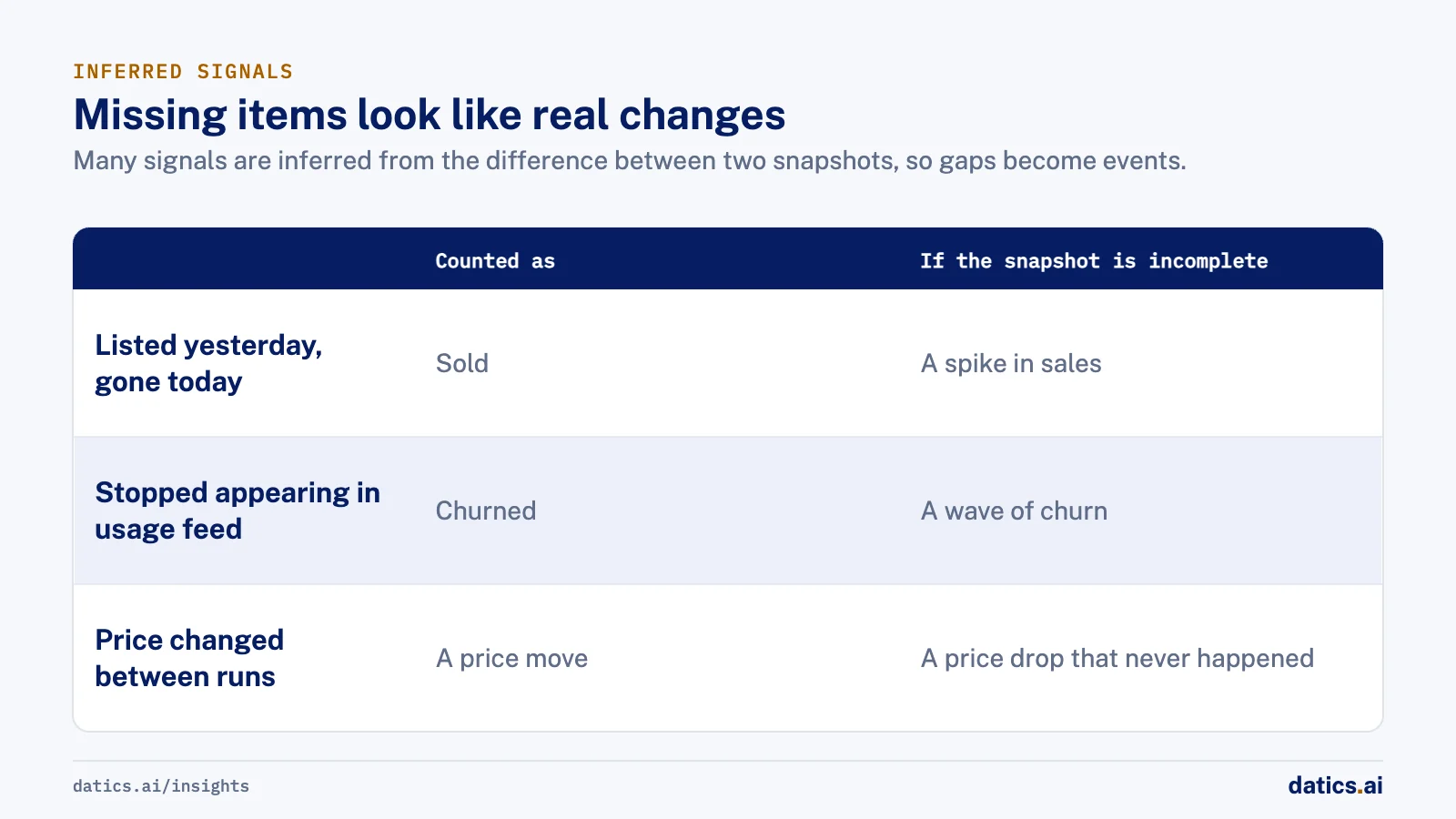
These inferences are powerful, and they share one weakness. If a snapshot is incomplete, the missing items look exactly like real changes. A failed load does not produce an error on the dashboard. It produces a spike in sales, a wave of churn or a price drop that never happened. An AI feature that reads those numbers will explain them fluently, which makes the wrong answer more convincing, not less.
That is why output monitoring is not enough. By the time an output looks strange, it has often been shown to users. And many wrong outputs do not look strange at all. Researchers at Google, describing the data validation system in their TFX platform, put the point plainly: errors in input data can cancel out any gains in model speed and accuracy. They argue for treating data as a production asset, validated on the way in.
If you are planning AI features on top of existing analytics, this is the foundation to check first. Our article on how much production AI costs in SaaS covers the cost side; this one covers the trust side.
02Data quality monitoring per source and per run
We learned this on a competitive inventory intelligence platform for RV and automotive dealerships that we have built and run for years. It crawls public dealer websites daily, maps listings to a consistent make, model and trim catalog, and gives dealers stock trends, sales trends and price comparisons. Sales are inferred from units disappearing between daily snapshots, which only works if each snapshot is complete. The product is a data engineering and analytics system with no AI model in it, but the lesson applies directly to any AI feature that reads data like this.
Dealer sites use different templates, change without notice, block bots and go offline. So the crawling engine is separate from the product, and it tracks each crawl job and reports failed and partially successful crawls. That last category matters most. A crawl that fails completely is easy to see. A crawl that returns half the inventory is the one that creates false sales.
The checks we recommend for any scheduled input:
- 01
Record the expected volume for each source, based on its recent history, and compare each run against it.
- 02
Treat a sharp drop in volume as a coverage failure until proven otherwise, not as a real-world change.
- 03
Check freshness
when did each source last deliver complete data, and is that within the agreed window.
- 04
Check structure
required fields present, values in valid ranges, and no new placeholder values.
- 05
Check mapping
how many records failed to match the reference catalog, and whether that share is rising.
- 06
Record the result per source and per run, so downstream jobs can ask whether their inputs are good.
03Block or flag downstream outputs
Detection is only half the job. The other half is deciding what happens downstream when a check fails. Without that, the alert fires and the dashboard still shows the false spike.
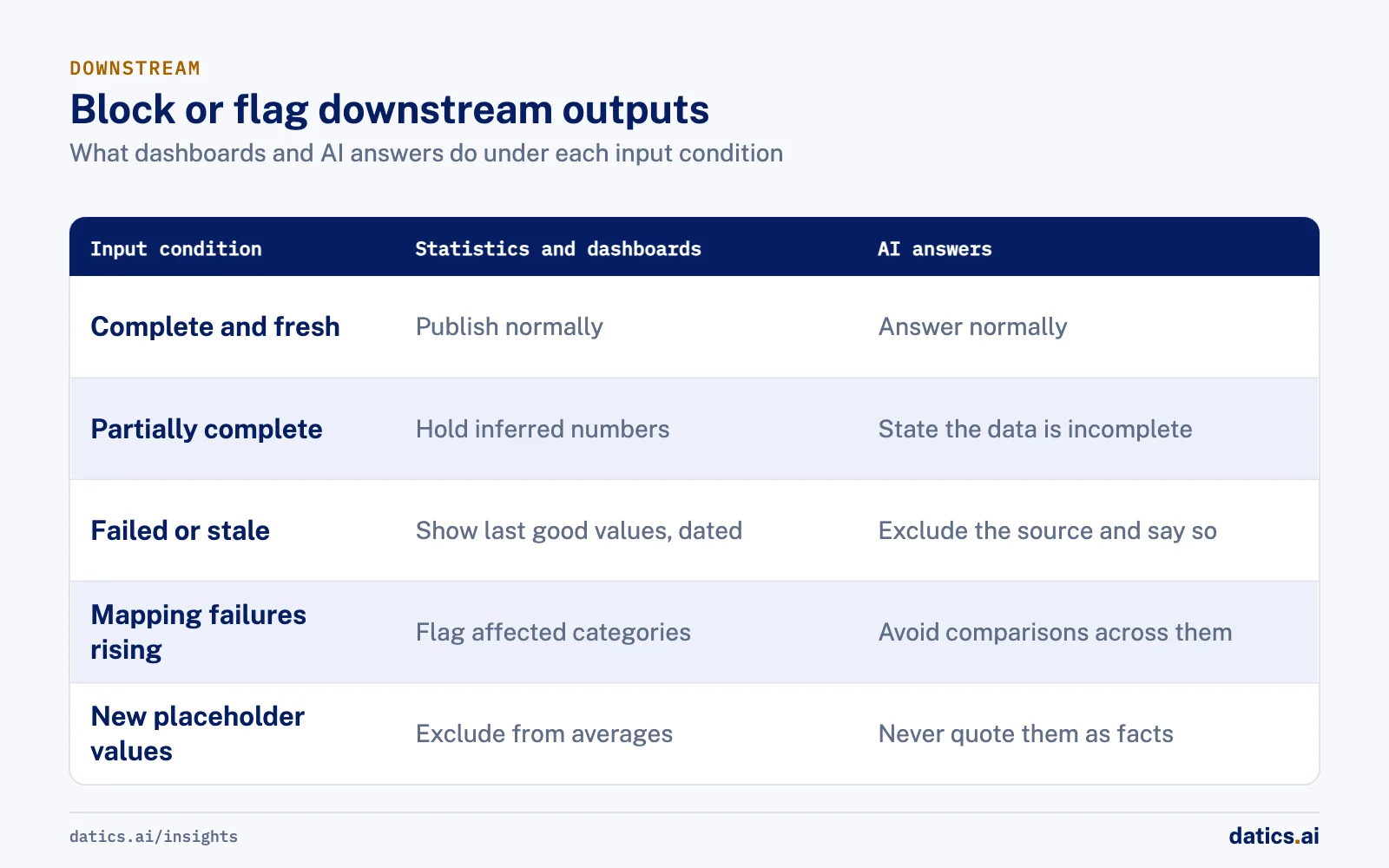
| Input condition | Statistics and dashboards | AI answers |
|---|---|---|
| Source complete and fresh | Publish normally | Answer normally |
| Source partially complete | Hold inferred numbers, such as sales, for that source | Answer, but state that data for that source is incomplete |
| Source failed or stale | Show the last good values, clearly dated | Exclude the source and say so in the answer |
| Mapping failures rising | Flag affected categories | Avoid comparisons across affected categories |
| New placeholder values found | Exclude those records from averages | Never quote those values as facts |
The principle is that every downstream job checks the input status before it runs, the way a build checks its tests. Tools like dbt support this pattern for warehouse data: their source freshness checks compare when data last arrived against an agreed threshold and can stop later steps when a source is late. Their documentation recommends running those checks at least twice as often as your shortest freshness commitment.
For AI answers, the status should travel with the data into the prompt or tool output, so the model can say what it does not know. An assistant that says the data for one source is incomplete today is more useful than one that confidently reports a sales spike.
04Make coverage part of the release routine
Monitoring decays if it is a project. It lasts if it is a habit. On the dealership platform, every sprint includes a crawler health pass, so coverage does not slowly erode as dealer sites change. The engine groups dealer sites into reusable crawler families that share templates per site platform, rather than one scraper per dealer, so a fix to one family repairs many sites at once.
Mapping needs the same routine. Scraped listings arrive with messy titles, conditions and missing fields, so mapping offers to products and cleaning up wrong products is ongoing work, not a one-time migration. Separate instances for different dealer networks each have their own development, testing and production environments, so a change can be checked before it reaches dealers.
If you are adding an AI feature to a product with scheduled loads, give the input checks an owner, put their status on the team's regular review, and treat a coverage drop as an incident with the same seriousness as an outage.
05What we see in production
On the dealership inventory platform, built for a company that sells software to RV and automotive dealers, the hardest failures were never the dramatic ones. Sites that went offline were caught at once. The damage came from crawls that partly succeeded, because they produced numbers that looked like normal business. Reporting partially successful crawls as their own category, and reviewing them every sprint, is what kept the inferred sales figures trustworthy.
We also see that coverage changes with growth. As the platform added Canadian dealers and new dealer networks, each new source brought new templates and new ways to fail. New dealer crawlers have been added in nearly every recent sprint, and each one needs its own expected volume before its data feeds any trend.
Finally, we see that placeholder and duplicate values are a quiet risk. Listings with missing or dummy fields can pass a simple completeness check and still corrupt an average. Checks on value ranges and on known placeholder patterns catch what a row count misses.
Duplicates break matching as much as averages. On a food and nutrition app, we cleaned and normalized every data set before linking anything: branded dish names got a generic second name, near duplicate ingredients were merged, and free text ingredient lines were split into quantity, unit, item and preparation.
When teams later put an AI assistant on top of data like this, the same monitoring becomes its safety net. The assistant is only as honest as the input status it is given.
Frequently asked questions
What is the difference between a failed crawl and a partial one?
A crawl that fails completely is easy to see, because the source delivers nothing and the gap is obvious. A crawl that returns half the inventory is the dangerous one. The missing items look exactly like real changes, so it creates false sales. Its numbers look like normal business unless partial runs are reported as their own category.
Is output monitoring enough for AI features?
No. By the time an output looks strange, it has often been shown to users, and many wrong outputs do not look strange at all. An AI feature that reads bad numbers will explain them fluently, which makes the wrong answer more convincing. Check inputs per source and per run before anything downstream is published.
What should an AI answer do when a source is incomplete?
The input status should travel with the data into the prompt or tool output, so the model can say what it does not know. For a partially complete source, the assistant answers but states that the data is incomplete. For a failed or stale source, it excludes the source and says so in the answer.
How often should freshness checks run?
The dbt documentation recommends running source freshness checks at least twice as often as your shortest freshness commitment. Those checks compare when data last arrived against an agreed threshold and can stop later steps when a source is late. That keeps dashboards and AI answers from running on data that missed its window.
How Datics helps
Datics specializes in brownfield AI: bringing production AI into the product you already operate, without forcing a rebuild.
Related work
Case studies from our projects on the same subject.
Coast Technology
Automotive & Dealerships · Competitive inventory intelligence engine
Dealers see rival stock, prices and sales daily, captured from many changing websites
Dealers checked rival lots by hand, site by site. Now one engine captures competitor stock daily and the portal compares prices and sends alerts.
Where Do You Nom
Healthcare & Wellness · Food search and recommendations
Restaurant dishes linked to their recipes, so nutrition comes from ingredient data
Branded dish names linked to nothing, so no dish showed nutrition. Now each menu item reaches its recipe and ingredients.
Social music collaboration app
Marketing & Media · Audio search and discovery
A prototype lets musicians search by instrument, read from the audio itself
No field held instruments, so search could not find a pianist or drummer; our prototype read real tracks and tagged what each one is.
More on Brownfield AI
Brownfield AI
AI integration for SaaS: add AI without a rebuild
AI integration for an existing SaaS product: keep your core as the system of record, reuse your APIs and auth, and ship one AI workflow without a rebuild.
 Umair MajeedRead
Brownfield AI
Is vibe coding enough for mature SaaS?
Vibe coding in SaaS is fast for prototypes. Mature products need server-side permissions, regression tests, evaluation and review before AI code ships.
Umair MajeedReadBrownfield AI
Entity matching: how do you map supplier data to a catalog?
Entity matching for product data works when you agree on mapping rules first, normalize before you compare, and route uncertain matches to people.
Rana Umar MajeedReadBrownfield AI
AI data integration: connect AI without a new platform
AI data integration without a migration: leave customer data where it lives, give AI governed paths to it, and index only what retrieval really needs.
Umair MajeedReadBrownfield AI
Brownfield vs greenfield: retrofit AI or start fresh?
Brownfield vs greenfield for AI: what a mature SaaS platform has that an AI startup lacks, where legacy code slows it down, and how to move just as fast.
Umair MajeedReadBrownfield AI
AI product strategy: embed AI or launch a separate product?
An AI product strategy for an established SaaS: when to build AI into the product you have, when a separate AI product makes sense, and how to decide.
Umair MajeedReadYour customers already expect AI from your product.
Let us make it real without rebuilding what already works.