
AI in production
Why add an AI kill switch to every feature and agent?
Being able to turn AI off quickly is part of the release plan, not an afterthought.
 Rana Umar MajeedCo-founder and CTO, Datics AI6 min read
Short answer
Every AI feature and agent needs an AI kill switch because models, providers and integrations fail in ways your existing software never did. Among AI agent guardrails, it is the simplest and the one teams forget. Add a flag that disables or degrades the feature in seconds without a release, design what the product does when it is off, and decide in advance who flips it and when. Then test it like any other release step.
On this page
01Why AI needs a faster exit than other features
When AI is added to software people already rely on, the new part carries risks the old parts did not. A model provider slows down or changes behavior. A retrieval service starts returning irrelevant passages. A prompt change produces answers nobody expected. An agent with tools takes an action it should not have. This is part of our larger guide, LLMOps for SaaS: keep AI features working in production.
None of these is rare, and most are not fixed by a quick code change. You need time to understand what happened. An off switch buys that time. It turns an incident from a rushed hotfix into a calm decision: switch the AI off, keep the product working, investigate, and switch it back on when the cause is fixed.
The idea is not new. Martin Fowler's well-known article on feature toggles describes ops toggles that let operators disable or degrade a feature quickly in production, and long-lived kill switches that act like a manual circuit breaker. They must be changeable without a new release. AI features are exactly the kind of feature those toggles were invented for.
02What an AI kill switch actually controls
One global flag is a start, but it is rarely enough. We design switches at the levels where problems actually happen.
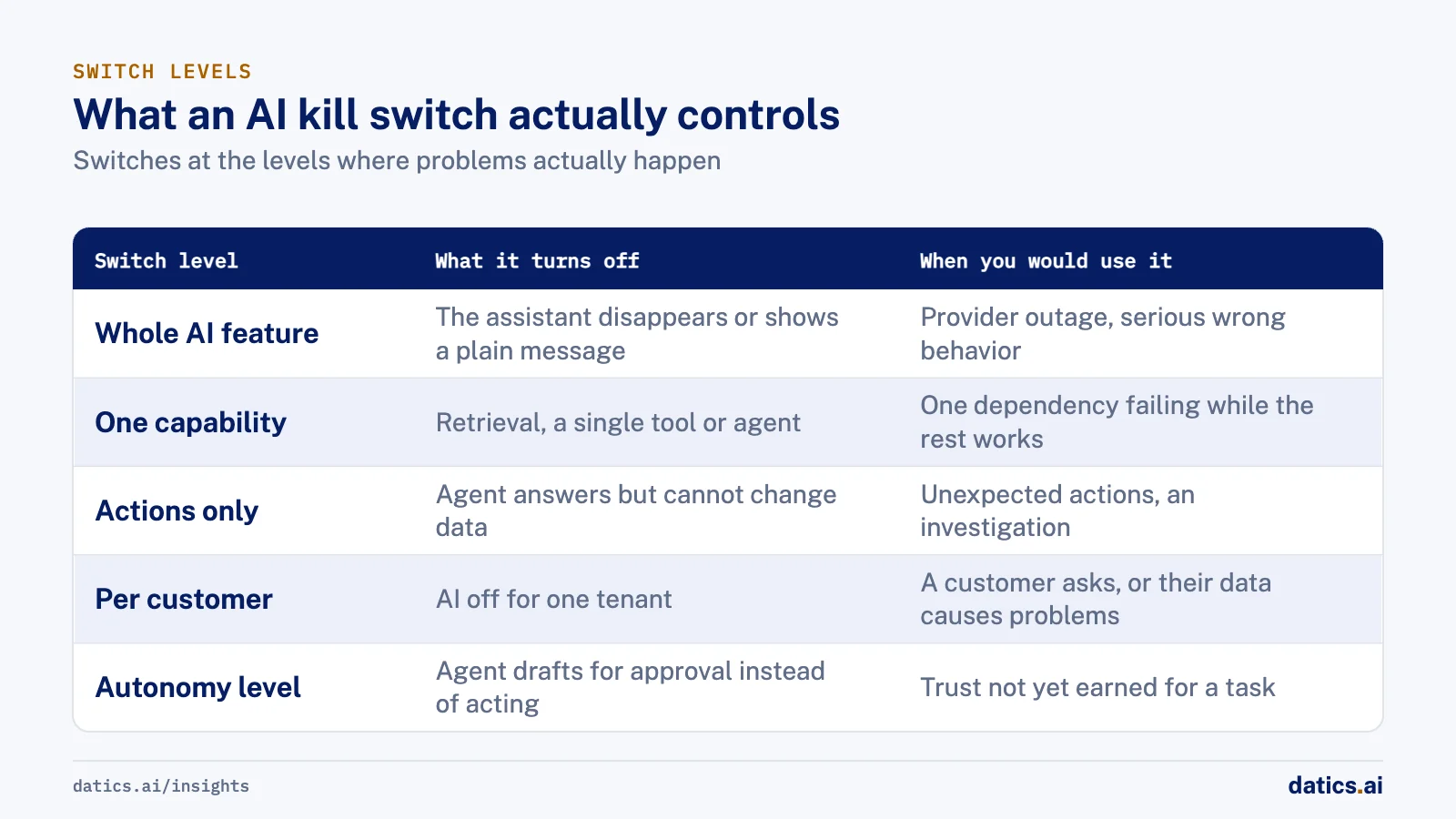
| Switch level | What it turns off | When you would use it |
|---|---|---|
| Whole AI feature | The assistant, panel or button disappears or shows a plain message | Provider outage, serious wrong behavior |
| One capability | Retrieval, a single tool or a single agent | One dependency is failing while the rest works |
| Actions only | The agent can still answer but cannot change data or send messages | Unexpected actions, an investigation in progress |
| Per customer | AI off for one tenant | A customer asks, or one tenant's data causes problems |
| Autonomy level | Agent drafts for approval instead of acting | Trust has not been earned yet for a task or a customer |
The actions-only switch matters most for agents. The OWASP Top 10 for LLM applications lists excessive agency, an agent with more functionality, permissions or autonomy than it needs, as a core risk, and recommends human approval for high-impact actions. A switch that removes autonomy while keeping the read-only help is often the right first move in an incident.
03Design the off state, not just the switch
A switch is only useful if the product behaves well when it is flipped. Decide the off state for every AI feature before launch.
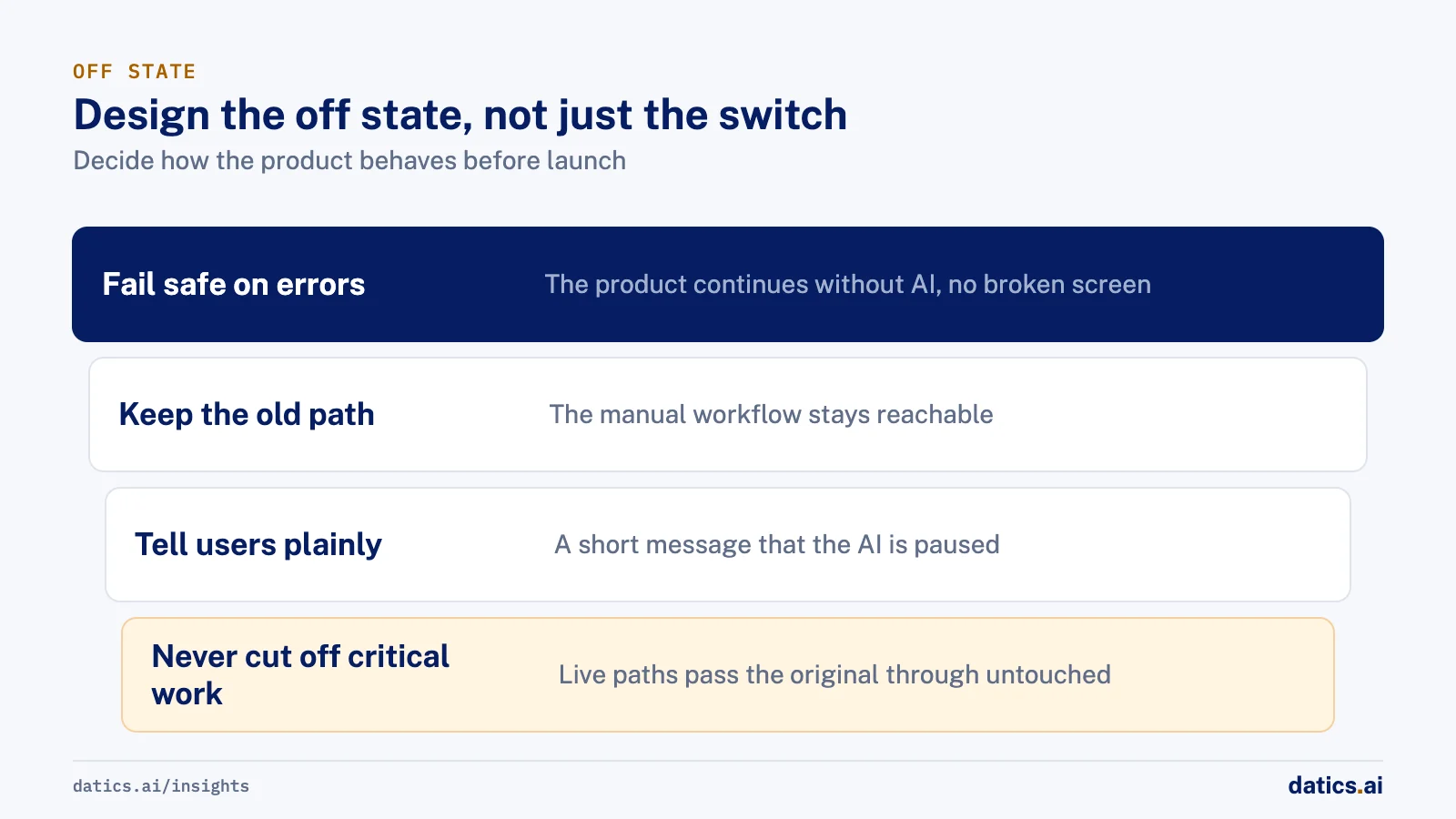
- Fail safe on errors. If the AI service times out or errors, the product should continue without it, not show a broken screen. A chat that loses retrieval can still answer without context, with a note that sources are unavailable.
- Keep the old path. If AI replaced a manual workflow, keep that workflow reachable. Users who depended on it before the AI still can.
- Tell users plainly. A short message that the AI feature is paused is better than a feature that silently vanishes.
- Never cut off critical work. If the AI sits in a live path, such as audio or messaging, a processing failure must pass the original through untouched.
04Build it in from the first release
These are the steps we include in every AI release plan.
- 01
Put the switches in configuration.
Environment variables or a feature flag service, read at run time, so changing them needs no deploy. Include the enable flag, the service address, the key and the timeout.
- 02
Set timeouts on every AI call.
A slow model should fail fast into the off state, not hold the page.
- 03
Separate analysis from action.
Agents that act should do so through a separate, switchable layer, with user confirmation for anything that matters.
- 04
Name the owner.
Decide who can flip each switch: on-call engineers for the global switch, account owners for a per-customer switch.
- 05
Write the trigger rules.
Error rate, latency, a spike in user complaints or a provider status incident. Agree them before you need them.
- 06
Test the switch.
Flip it in staging and once in production during a quiet hour, and confirm the off state is what you designed.
- 07
Log every change.
Who flipped what, when and why, so the incident review has facts.
05Use the switch for rollout, too
The same switches that stop incidents also make launches safer. Turn the AI on for internal users first, then a few customers, then everyone. Keep the per-customer switch for enterprise buyers who want AI off until their security review is done. Keep the autonomy switch so a customer can start with approval for every action and move to automatic only when they trust it.
This turns the off switch from a safety device into a sales tool. Enterprise buyers ask what happens if the AI goes wrong. A clear answer, with a switch they can see, shortens that conversation.
Retire switches that no longer earn their place. A short-lived release flag should be removed once the feature is stable, so the configuration does not fill with toggles nobody understands. Keep the long-lived ones, the global kill switch, the actions-only switch and the per-customer switch, and review them in every incident drill so the team knows they still work. For more on what breaks agents after launch, see why AI agents fail in production.
06What we see in production
For a software services firm adding document search to a self-hosted AI chat, we built a separate retrieval API and connected it to the chat through a thin filter. The integration is configured through environment variables: an enable flag, the service address, an optional key and a timeout. The filter fails safe: if the retrieval service errors, the chat simply continues without context. It also accepts both the new and the legacy response format, so the service could change without breaking the interface, and it shows users the source of each answer.
For a retail investing app with several agents, the agents analyze and recommend, but trades happen only after the user consents to connect a brokerage and confirms each order, with a clear separation between the analysis layer and the execution layer. When we proposed an enterprise version for investment firms, the proposal set out an admin kill switch and human-in-the-loop settings alongside managed secrets and single sign-on.
In a desktop app that records sales calls, we added fail-open audio, so a processing failure never cuts the agent off a live call. And in a field operations assistant, a contractor bidding agent drafts outreach for the owner and sends it only after approval, unless the owner switches that job to automatic. Autonomy is a switch per job, not a single setting for everything.
Frequently asked questions
Does an AI kill switch need a code deploy?
No, and it should not. Put the switches in configuration, such as environment variables or a feature flag service read at run time, so changing them needs no release. Include the enable flag, the service address, the key and the timeout, and log every change so the incident review has facts.
What should users see when the AI is switched off?
A product that keeps working. If AI replaced a manual workflow, keep that workflow reachable. Show a short message that the AI feature is paused, rather than letting it silently vanish. If the AI sits in a live path, such as audio or messaging, a processing failure must pass the original through untouched.
Who should be able to flip the switch?
Decide it before launch. On-call engineers usually own the global switch, and account owners own a per-customer switch. Agree the trigger rules in advance as well: error rate, latency, a spike in user complaints or a provider status incident. Then test the switch in staging and once in production.
How Datics helps
Datics specializes in brownfield AI: bringing production AI into the product you already operate, without forcing a rebuild.
Related work
Case studies from our projects on the same subject.
WikiTeq
B2B Software · RAG API for a chat
WikiTeq's self hosted AI chat now answers from its documents, citing every source
The chat could not answer from the firm's own documents. Now a separate retrieval service feeds it passages and shows the source of each answer.
Cosmic AI
Financial Services · Multi-agent investing assistant
Retail investors go from research to a confirmed order in one conversation
Investors juggled data, news and a separate broker. Now agents research and prepare each trade in chat, and nothing is placed until they confirm.
CleanHaus
Real Estate & Hospitality · Turnover operations SaaS
Hosts and cleaners manage rental turnovers in chat, within each person's permissions
Owners, managers and cleaners all talk in one property chat. Now an AI there acts for each of them, only within that person's role.
More on AI in production
AI in production
LLMOps for SaaS: keep AI features working in production
LLMOps for product teams: evaluation gates, prompt and model versioning, tracing, regression checks, cost per task, kill switches and model upgrades.
Rana Umar MajeedReadAI in production
AI agent monitoring: catch regressions in production
AI agent monitoring for live SaaS products: what to trace on every run, which user signals to watch, how to score traces and when to roll a change back.
 Umair MajeedRead
AI in production
How can prompt management put domain experts in control?
Prompt management lets domain teams refine AI prompts and scoring rules after launch, while engineering keeps the pipeline, guardrails and staging step.
Rana Umar MajeedReadAI in production
Which AI pricing model works when every answer costs money?
Build an AI pricing model from cost per action: decide which plans trigger expensive AI work and how often, then enforce limits on the server.
Umair MajeedReadAI in production
How do you approach AI model testing on messy real data?
AI model testing for document and data extraction: build messy test sets early, compare AI output with human entry and turn each failure into a regression case.
Rana Umar MajeedReadAI in production
AWS Bedrock vs Azure OpenAI vs Vertex AI for existing SaaS
AWS Bedrock vs Azure OpenAI in Microsoft Foundry vs Google Vertex AI: how to choose a managed AI platform for a SaaS product already in production.
Rana Umar MajeedReadYour customers already expect AI from your product.
Let us make it real without rebuilding what already works.