All guides
Free blueprint
For product, engineering and IT leaders at U.S. software companies adding AI to an older web app whose logic lives in pages, stored procedures and batch jobs
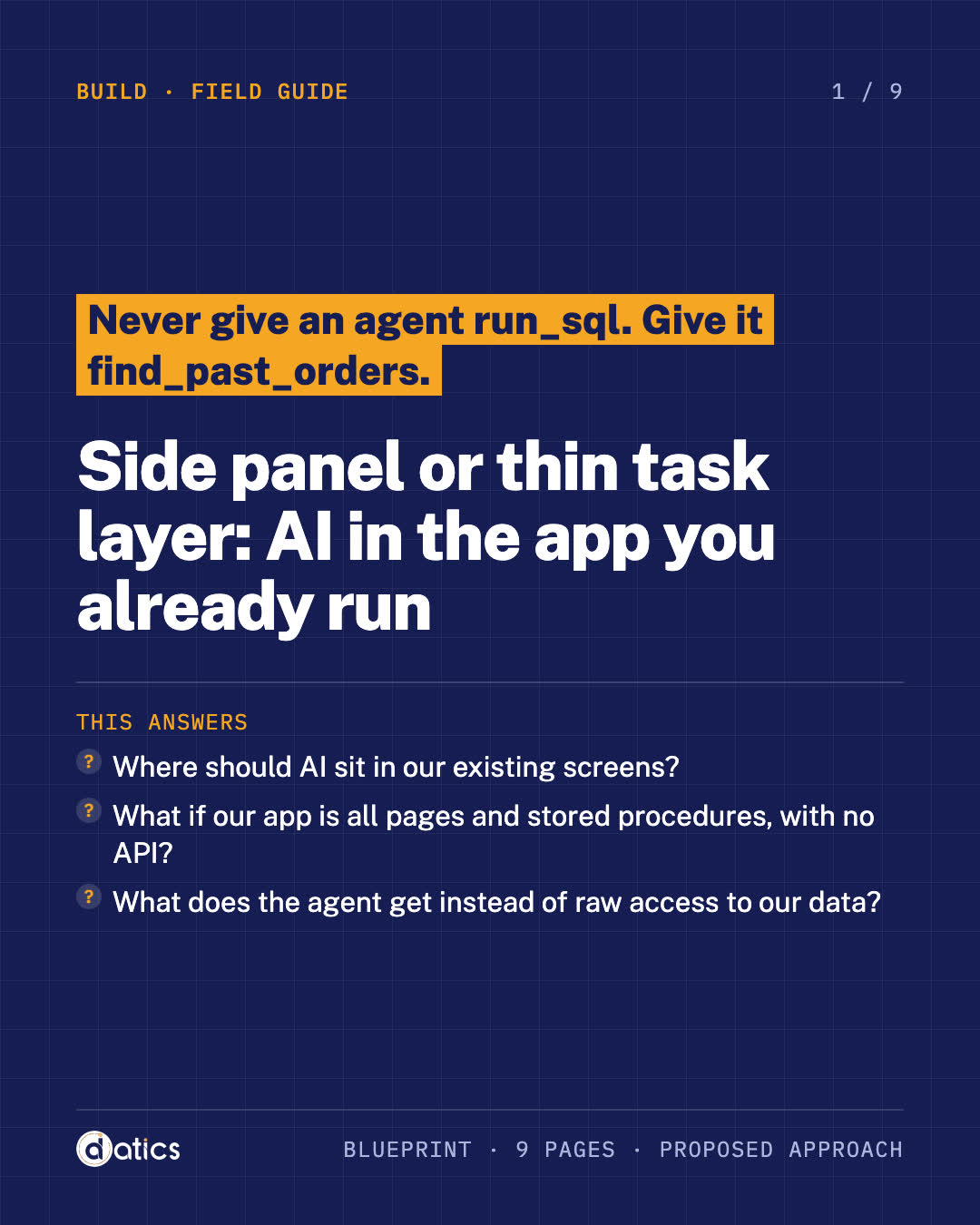
Never give an agent run_sql. Give it find_past_orders.
Side panel or thin task layer: AI in the app you already run
Never give an agent run_sql. Give it a few small, safe tasks, and put the AI beside the record your user is already working on.
This answers
- Where should AI sit in our existing screens?
- What if our app is all pages and stored procedures, with no API?
- What does the agent get instead of raw access to our data?
Blueprint · 9 pages, PDF · Proposed approach
What is inside
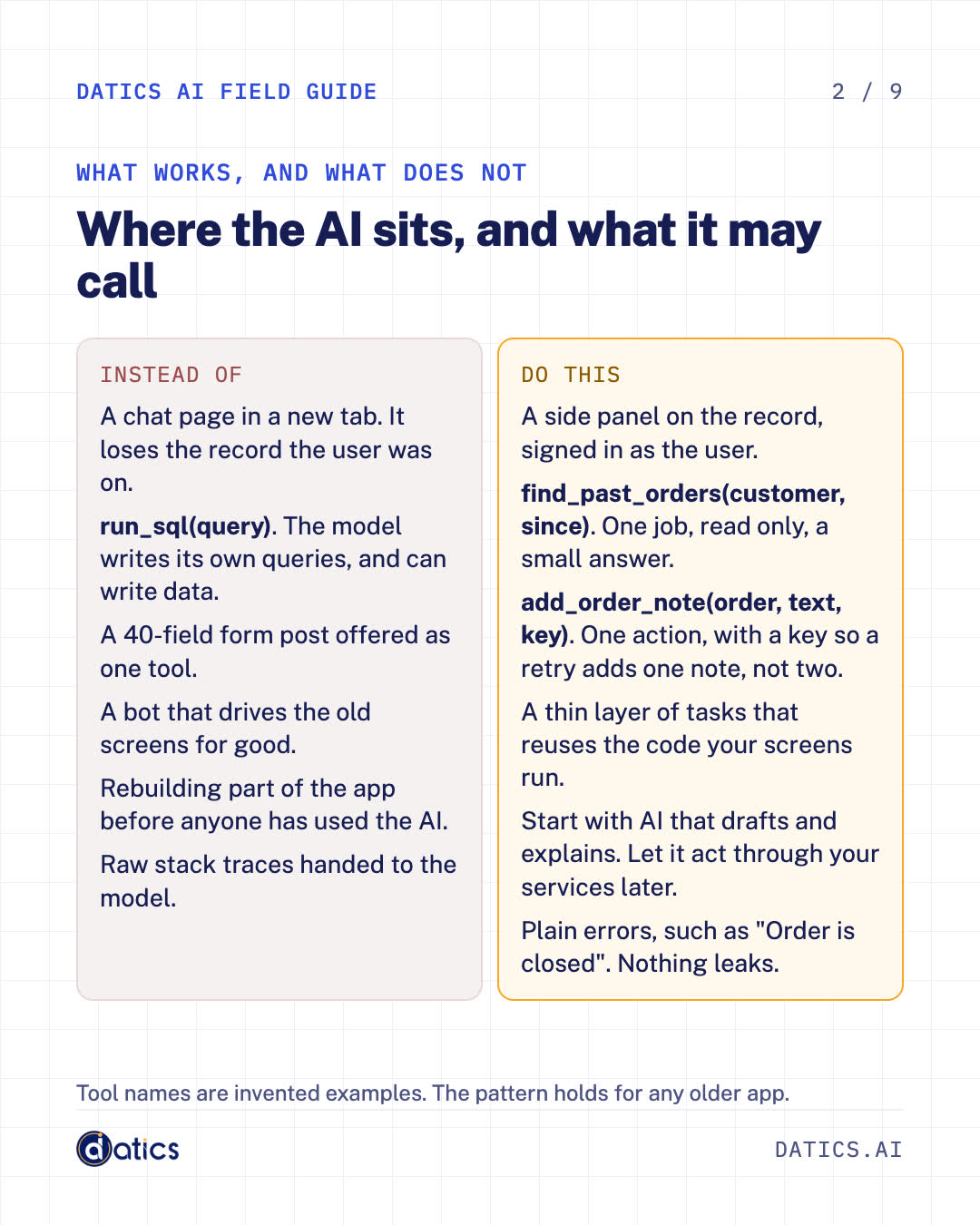
- 1Where the AI sits, and what it may callWhat works, and what does not
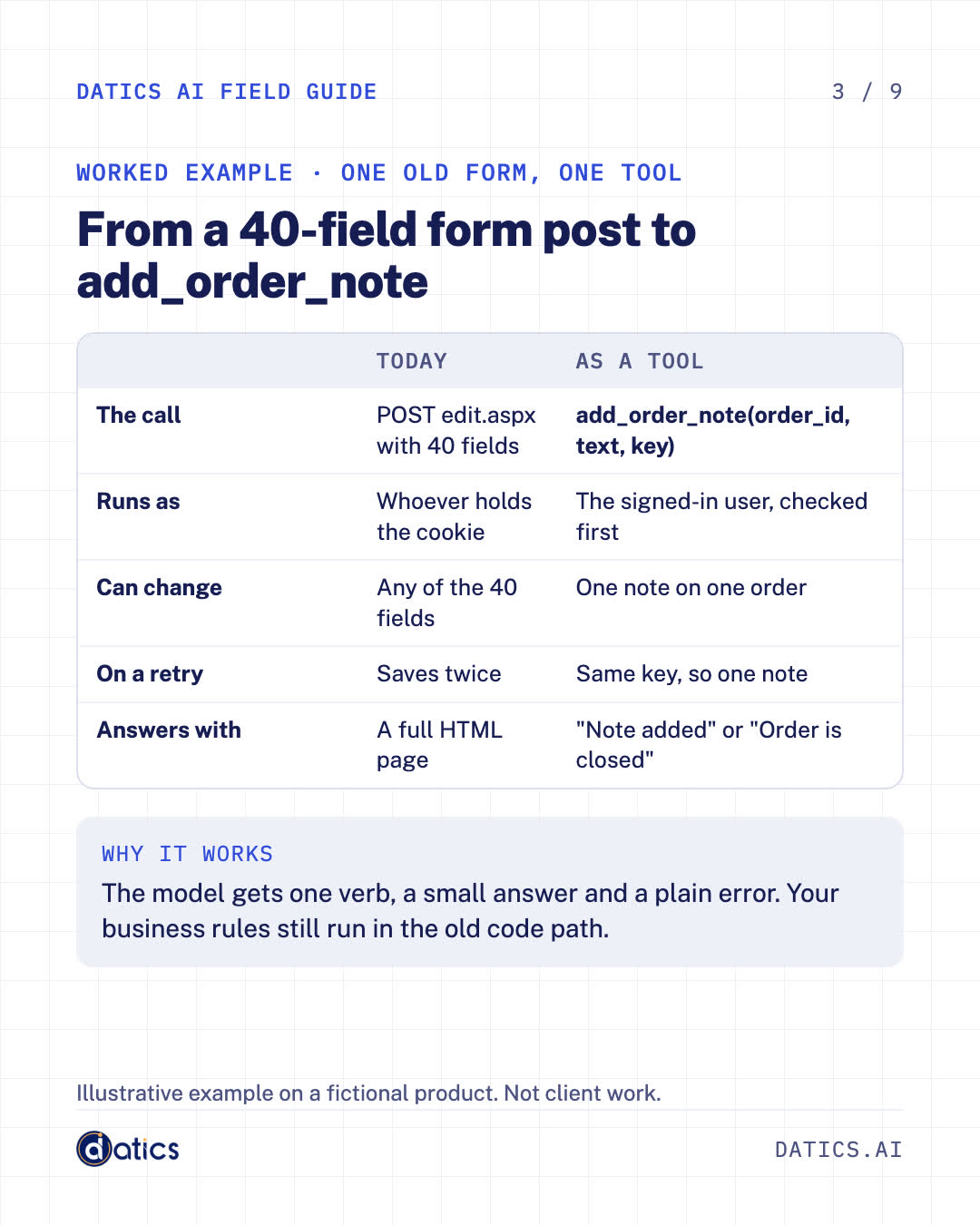
- 2From a 40-field form post to add_order_noteWorked example · One old form, one tool
- 3Use the best way in that already existsStep 1 · The way in
- 4Five steps from old screens to a few safe toolsStep 2 · Build the thin layer
- 5Plan seven states, not one chat boxStep 3 · The side panel
- 6Built beside systems that had to keep runningFrom our work
- 7Bring this page to the Product ReviewYour notes for the call
You also get
- What to offer an agent instead of raw access to your data
- A worked example: a 40-field form post turned into one safe tool
- Four ways into an older app, best first
- A thin task layer in five steps
- The seven states your AI panel must handle
Preview